In the previous blog we created api, now we are going to test it. Before going there I have made some changes to the project. Like I have created a Detail view which has information on particular Racer. The template would look something like this:
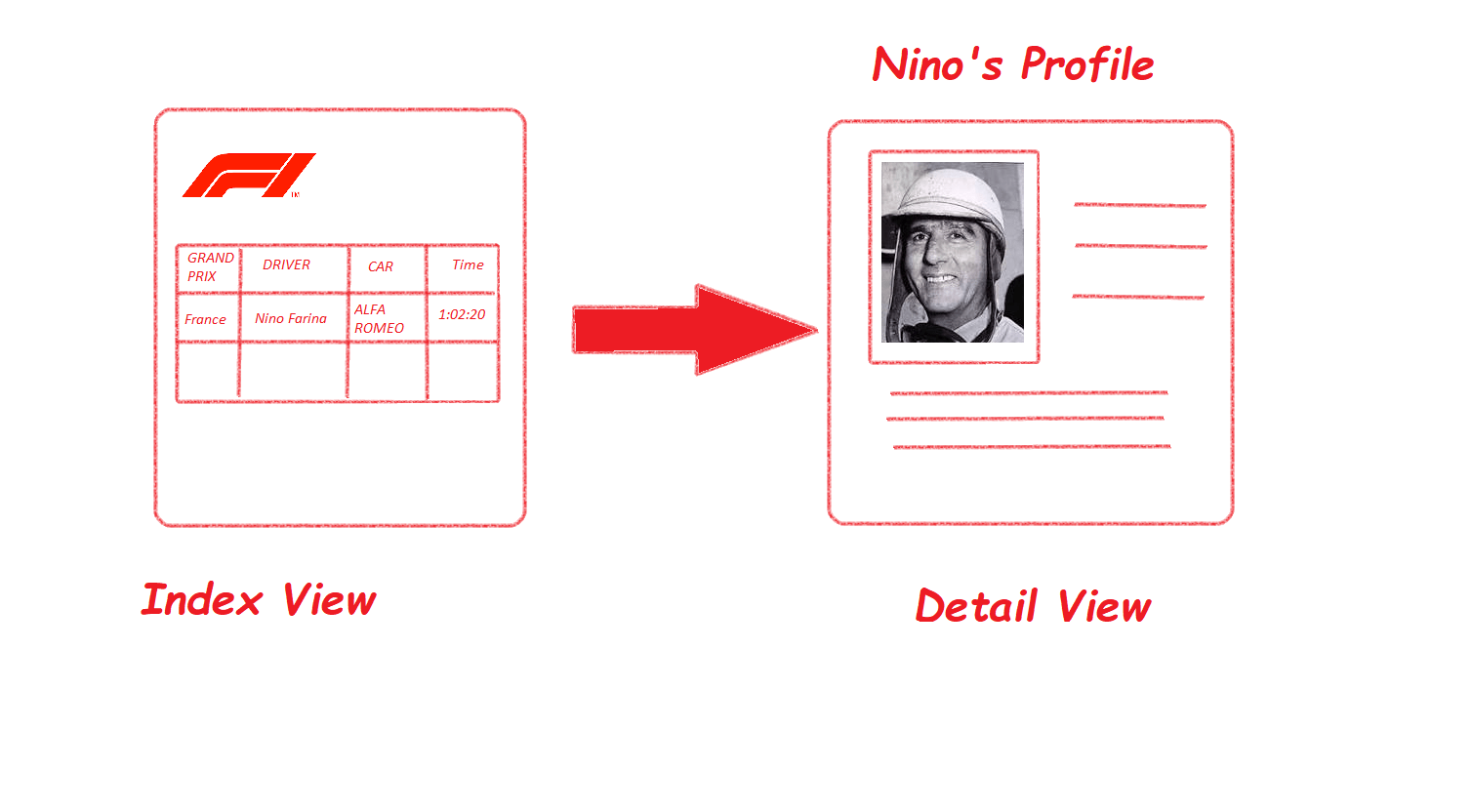
So lets begin updating some code, starting from the models.Update your models.py with the following code:
class Fastest_laps(models.Model):
    driver_name = models.CharField(max_length=25, null=True)
    grand_prix = models.CharField(max_length=15, blank=True)
    car_model = models.CharField(max_length=50)
    time_taken = models.CharField(blank=True, max_length=8)

    def __str__(self):
        return self.driver_name


class Driver(models.Model):

    place_of_birth = models.CharField(max_length=25)
    driver = models.ForeignKey(Fastest_laps, db_column='driver_name')
    picture = models.ImageField(blank=True, null=True)

    def __str__(self):
        return str(self.driver)
There is a foreign key that connects the two tables. Going forward you need to create api views for Update, Put and Delete so that on a given api endpoint you can use all the HTTP verbs. I am using class-based views, it helps me with reusable components, I will discuss in-depth about it later. You need to update the api.py file with the following code:
#!/usr/bin/env python
from rest_framework.generics import ListCreateAPIView, ListAPIView, UpdateAPIView,RetrieveAPIView, DestroyAPIView
from .serializer import ListSerializer,DetailSerializer
from .models import Fastest_laps,Driver


class ListApi(ListAPIView):

    queryset = Fastest_laps.objects.all()

    serializer_class = ListSerializer

class LapCreateApi(ListCreateAPIView):

    queryset = Fastest_laps.objects.all()

    serializer_class = ListSerializer

class DetailApi(ListAPIView):

    queryset = Driver.objects.all()
    serializer_class = DetailSerializer


class LapUpdateApi(UpdateAPIView):

    queryset = Fastest_laps.objects.all()
    serializer_class = ListSerializer

class LapRetrieve(RetrieveAPIView):
    queryset = Fastest_laps.objects.all()
    serializer_class = ListSerializer

class LapDestroy(DestroyAPIView):
    queryset = Fastest_laps.objects.all()
    serializer_class = ListSerializer
I have used generic views , you can go forward and use viewsets under rest_framework. You can see I have imported UpdateAPIView, RetrieveAPIView and DestroyAPIView, so advantage of using class based views is allow you to compose bits of reusable behavior. REST framework takes advantage of this by providing a number of pre-built views that provide for commonly used patterns.
So basically an UpdateAPIView will update the model instance, similarly a DestroyAPIView will delete a model Instance.
Final change is url.py
#!/usr/bin/env python
from django.conf.urls import url
from .api import ListApi,DetailApi,LapUpdateApi,LapRetrieve,LapDestroy

app_name = 'historicRaces'
urlpatterns = [
    url(r'^fastlaps/$', ListApi.as_view()),
    url(r'^detail/$',DetailApi.as_view()),
    url(r'^lap/(?P<pk>\d+)/update$', LapUpdateApi.as_view()),
    url(r'^lap/(?P<pk>\d+)$', LapRetrieve.as_view()),
    url(r'^lap/(?P<pk>\d+)/delete$', LapDestroy.as_view()),
]
So in your terminal run your local server on your computer’s IP. It should look something like this: python manage.py runserver 192.168.43.135:8000. [In settings.py look for ALLOWED_HOSTS set it to allowed all by placing an asterisk in the square bracket. [‘*’]]
I am first going to see my first api 192.168.43.135:8000/fastlaps
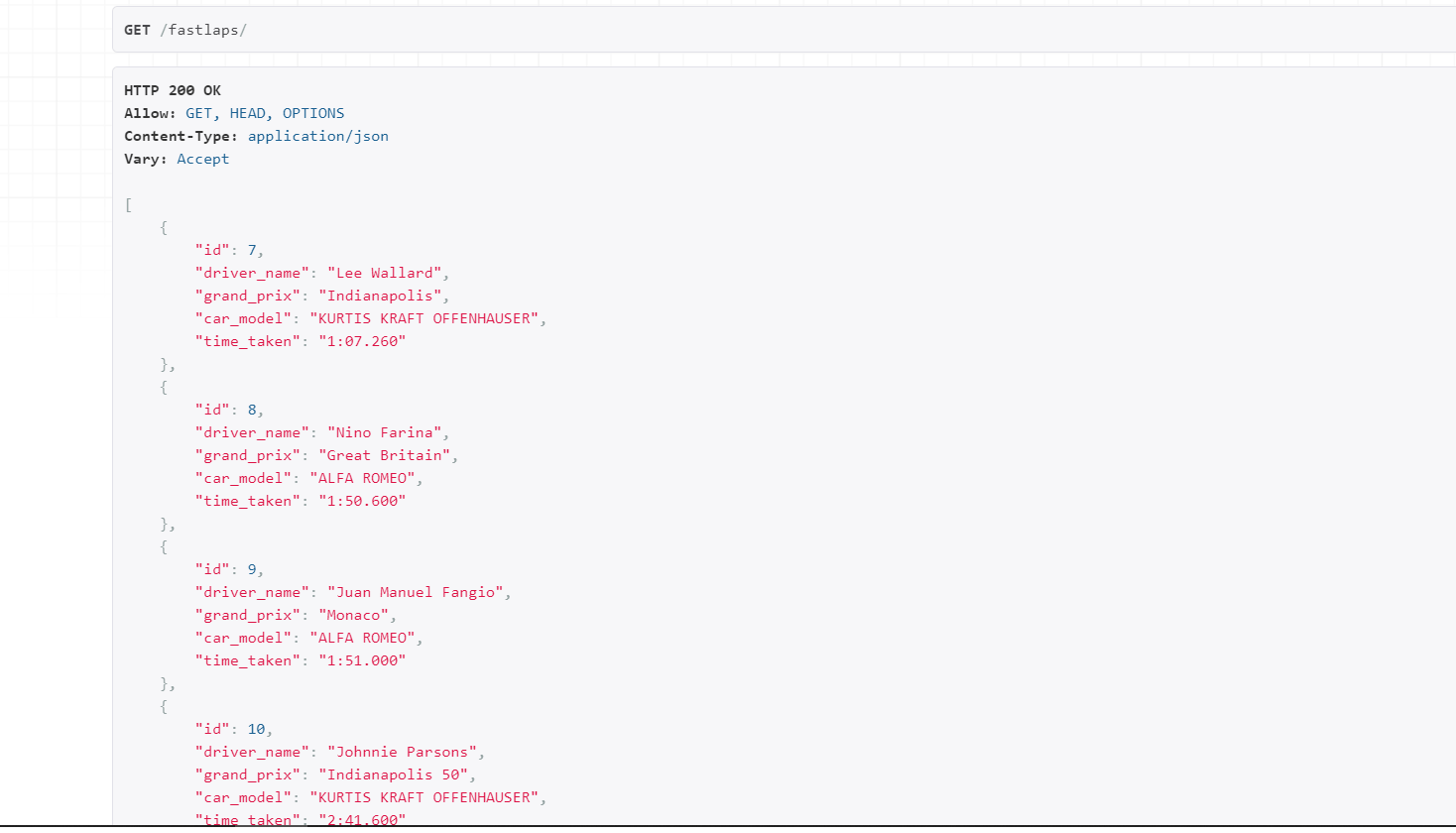
Works just fine, I can see all my data, I also want to look at my detail api.
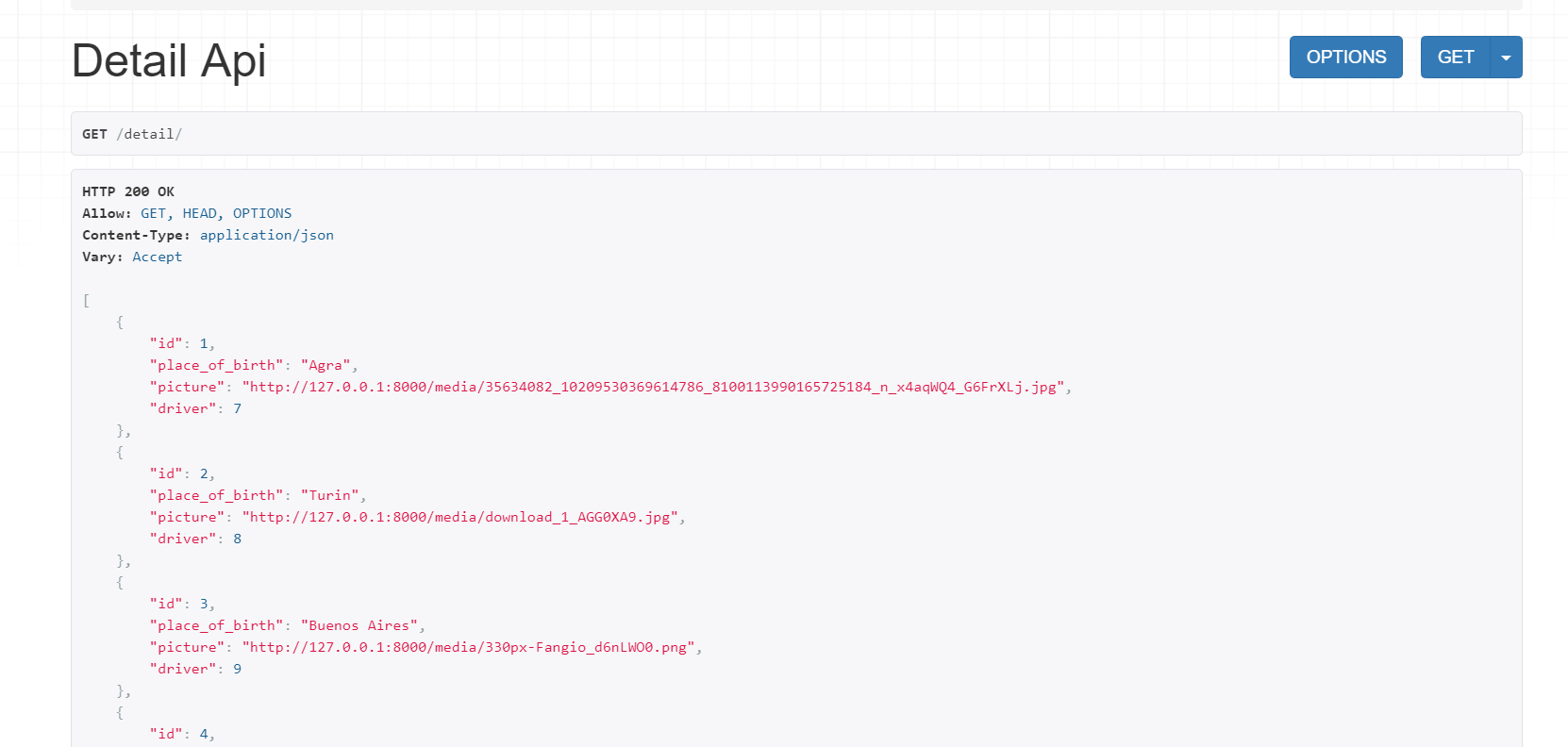
Perfect. Now lets test our GET, POST, PUT and Delete Methods.
Next open a terminal and write the following:
Get
import requests
>>> url = ‘http://192.168.43.135:8000/fastlaps/’
>>> response = requests.get(url)
>>> response.json()
[{‘id’: 1, ‘grand_prix’: ‘Great Britain’, ‘driver’: ‘Nino Farina’, ‘car_model’: ‘ALFA ROMEO’, ‘time_taken’: ‘1:50.600’}, {‘id’: 2, ‘grand_prix’: ‘Monaco’, ‘driver’: ‘Juan Manuel Fangio’, ‘car_model’: ‘ALFA ROMEO’, ‘time_taken’: ‘1:51.000’}, {‘id’: 3, ‘grand_prix’: ‘Indianapolis 50’, ‘driver’: ‘Johnnie Parsons’, ‘car_model’: ‘KURTIS KRAFT OFFENHAUSER’, ‘time_taken’: ‘2:41.600’}, {‘id’: 4, ‘grand_prix’: ‘Belgium’, ‘driver’: ‘Nino Farina’, ‘car_model’: ‘ALFA ROMEO’, ‘time_taken’: ‘4:34.100’}]
get a specific record:
>> url = ‘http://127.0.0.1:8000/lap/8’
>>> response = requests.get(url)
>>> response.json()
{‘id’: 8, ‘driver_name’: ‘Nino Farina’, ‘grand_prix’: ‘Great Britain’, ‘car_model’: ‘ALFA ROMEO’, ‘time_taken’: ‘1:50.600’}
Post
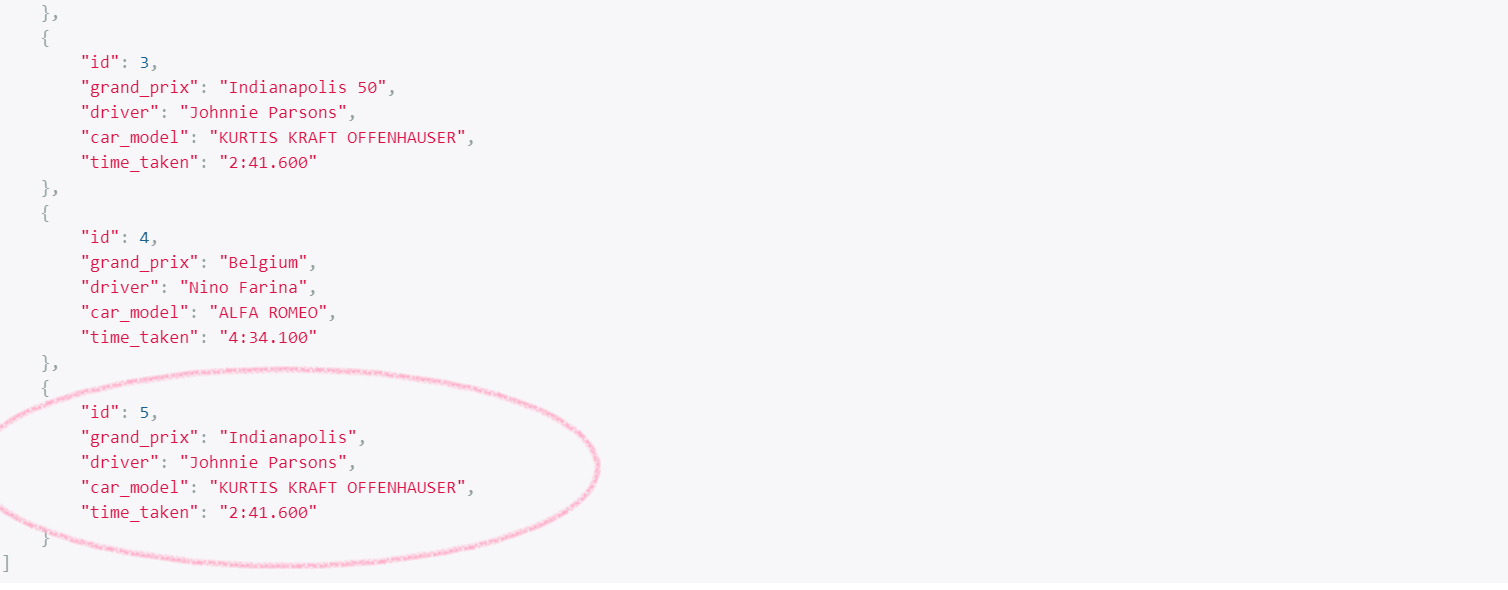
>> data = {‘id’:’5′,’grand_prix’:’Indianapolis’,’driver’:’Johnnie Parsons’,’car_model’:’KURTIS KRAFT OFFENHAUSER’,’time_taken’:’2:41.600′}
>>> response = requests.post(url,data)
>>> response.json()
{‘id’: 5, ‘grand_prix’: ‘Indianapolis’, ‘driver’: ‘Johnnie Parsons’, ‘car_model’: ‘KURTIS KRAFT OFFENHAUSER’, ‘time_taken’: ‘2:41.600’}
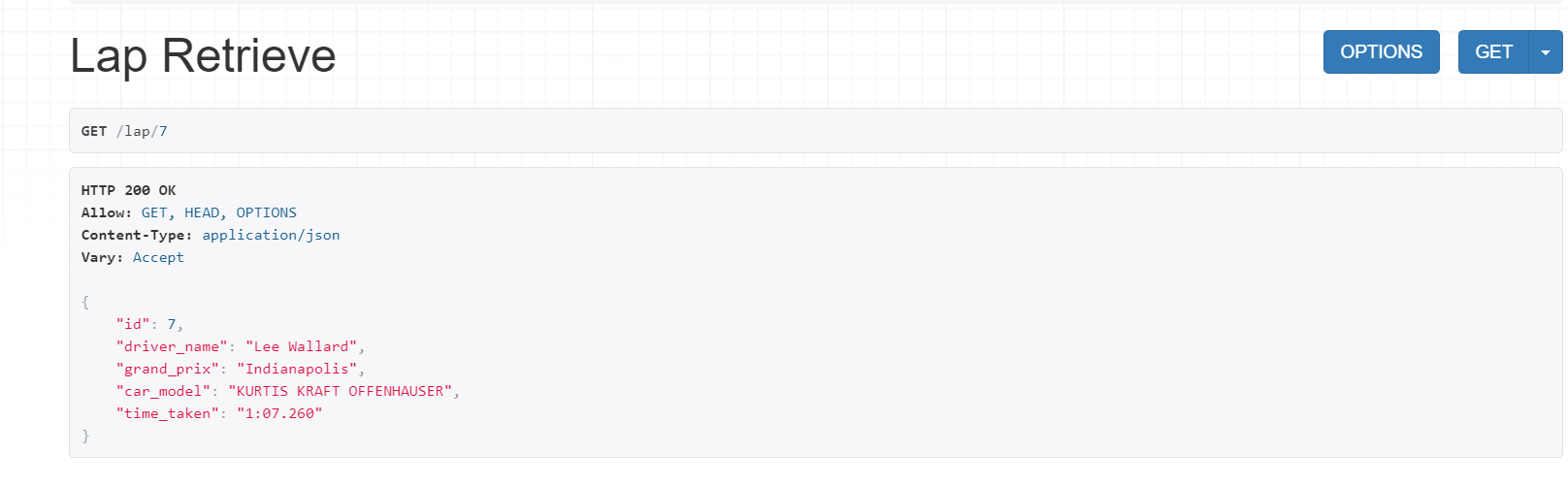
Put:
my_data = {‘id’:’7′,’driver_name’:’Lee Wallard’,’grand_prix’:’Indianapolis’,’car_model’:’KURTIS KRAFT OFFENHAUSER’,’time_taken’:’1:07.260′}
>>> response = requests.patch(url,my_data)
>>> response.json()
{‘id’: 7, ‘driver_name’: ‘Lee Wallard’, ‘grand_prix’: ‘Indianapolis’, ‘car_model’: ‘KURTIS KRAFT OFFENHAUSER’, ‘time_taken’: ‘1:07.260’}
Delete
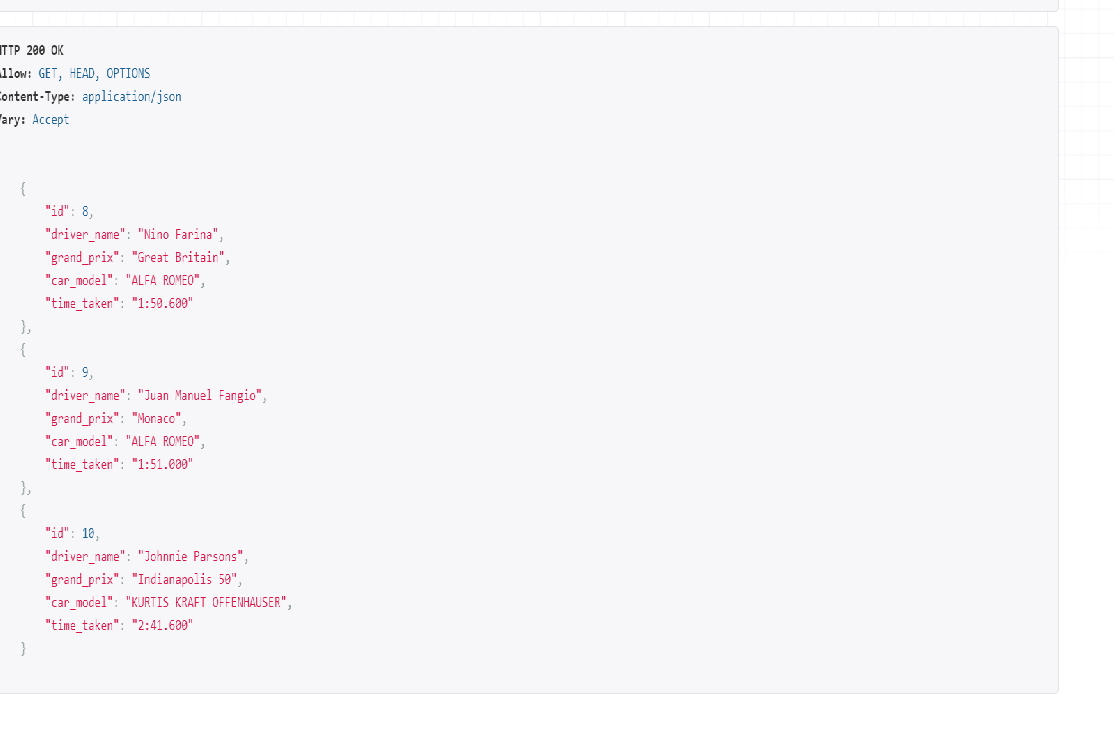
>> url = ‘http://127.0.0.1:8000/lap/7/delete’
>>> response = requests.delete(url)
>>> response.json()
We will continue the testing api in the next blog too, and make our code more efficient. Stay Tuned. For the updated code visit https://github.com/Dpython2017/formula1.git
 Deep Tech
Leave a comment